How to Outsource 3D Environment Art for Your Game
A practical guide to outsourcing 3D environment art: what to put in your brief, what published budget ranges look like, and how to choose a reliable game art studio.
On this page
- What is 3D Environment Art Outsourcing?
- Why Outsourcing 3D Environment Art Matters?
- GamesDapp’s 3D Environment Art Services
- GamesDapp’s Environment Art Outsourcing Workflow
- Benefits of Outsourcing 3D Environment Art
- Industries and Game Genres We Serve
- Why Game Studios Choose GamesDapp?
- How to Choose a Reliable Outsourcing Partner
- Common Questions and Concerns
- Tips for Successful Outsourcing
- Ready to Scope Your Project?
If you want to outsource 3D environment art, you need three things before you contact any studio: a clear brief, a realistic budget range, and a defined engine target. This guide covers how to scope the work, what published market ranges look like, and how to work with a game art outsourcing studio without costly rework.
What is 3D Environment Art Outsourcing?
3D environment art outsourcing means hiring an external studio to build the spaces players move through: terrain, architecture, props, foliage, modular kits, lighting setups, and level dressing. The studio delivers game-ready assets or finished scenes that import into your engine.
Scope varies. Some teams outsource only a prop pack. Others hand over a full level from blockout to final lighting. Some studios also offer concept art in the same pipeline, which helps when you want one team to carry a look from sketch to engine.
Why Outsourcing 3D Environment Art Matters?
Environment art is labor-heavy and uneven. A level can need weeks of work from several artists, then nothing until the next milestone. Outsourcing lets you scale art capacity up and down with the production schedule instead of hiring permanent staff you may not need later.
Budget is the first question, so here are published market ranges. These are vendor-reported figures, not quotes. Treat them as planning inputs and confirm against a written estimate.
| Scope | Published range | Notes |
|---|---|---|
| 3D art hourly rate | $40 to $150 per hour | Varies by region and seniority |
| Single prop | $50 to $500 | Depends on detail and texture needs |
| Environment scene | $1,000 to $10,000+ | Depends on size, style, and polish |
One vendor guide puts typical 3D art tasks such as modeling and texturing at $40 to $150 per hour, and adds that most vendors quote project-based or per-asset prices. Another vendor lists props at roughly $50 to $500 and scenes at $1,000 to $10,000 or more.
Plan for more than the art itself. One cost guide recommends adding 20 to 30 percent on top of raw asset costs for revisions, engine integration, and project management. The same guide says retainer rates run 15 to 25 percent below per-asset pricing, which matters if you need steady output over months.
GamesDapp’s 3D Environment Art Services
GamesDapp supports studios across the environment pipeline:
- Environment concept art: mood, palette, and key visuals that lock the look before modeling begins
- Blockout and layout: scale, sightlines, and traversal checks in the engine
- Modular kits and props: reusable pieces built for efficient level assembly
- Texturing and materials: stylized hand-painted or PBR photorealistic
- Lighting and set dressing: final scene polish for mood and readability
- Optimization: polycount, LODs, and texture budgets matched to your target platform
You can buy these as one package or as individual stages, depending on what your team already covers.
GamesDapp’s Environment Art Outsourcing Workflow
A predictable workflow keeps outsourced work on budget. This is the sequence to expect from any serious partner, and the one to ask GamesDapp to confirm in your scoping call.
- Brief and scoping: you share references, engine, and technical limits. The studio returns a scope and estimate.
- Concept or reference approval: the look is signed off before production.
- Blockout: rough geometry in your engine to approve scale and layout.
- Production: modeling, texturing, and materials, delivered in batches.
- Integration and lighting: assets placed and tuned in your build.
- Final review and handoff: source files, textures, and documentation delivered.
A brief template you can copy:
- Project summary: genre, camera type, target audience
- Engine and version: Unreal, Unity, or Godot, plus target platforms
- Art style: stylized or photorealistic, with 5 to 10 reference images
- Scope: number of assets, scenes, or square meters of playable area
- Technical limits: triangle budgets, texture sizes, LOD requirements
- Deliverables: file formats, naming conventions, source files
- Revision rounds: how many per stage
- Timeline and milestones: key dates tied to your build schedule
- Budget range: a range, not a single figure
A brief that covers these nine points removes most of the guesswork from a quote.
Benefits of Outsourcing 3D Environment Art
- Flexible capacity: add artists for a milestone and release them afterward.
- Specialist skills: access to modular design, material work, and optimization you may not have in-house.
- Faster delivery: parallel production while your core team stays on gameplay.
- Cost control: scoped work with defined deliverables is easier to forecast than open-ended hiring.
- Lower hiring risk: you skip recruiting, onboarding, and downtime between projects.
Industries and Game Genres We Serve
Each genre puts different pressure on environment art. Here is what usually matters most.
Fantasy and RPGs
Large, explorable worlds need modular kits, believable ruins, and strong silhouettes for landmarks.
Sci-Fi and Futuristic Games
Hard-surface detail, emissive materials, and consistent design language across stations and cities.
Action and Adventure
Readable paths, cinematic set pieces, and clear visual cues for where players can go.
MMORPGs
Many zones over a long period. Reusable kits and strict style guides keep new content consistent.
Mobile Games
Tight triangle and texture budgets. Stylized art and aggressive optimization are usually the priority.
VR and AR Experiences
Scale accuracy, performance headroom, and clean geometry matter more than surface detail.
Racing and Sports Games
Long tracks and stadiums, trackside assets that read at speed, and heavy reuse.
Indie Games
Small teams with fixed budgets benefit from clear scopes, asset packs, and staged payments.
Why Game Studios Choose GamesDapp?
Studios generally pick an art partner for three reasons: fit with their art direction, assets that drop into the engine without cleanup, and clear communication on scope. GamesDapp structures its process around those points: reference-led approvals, engine-ready delivery, and milestone reviews so you see progress before the budget is spent.
How to Choose a Reliable Outsourcing Partner
Check these before signing:
- Portfolio match: look for work in your style, not just impressive work.
- In-engine examples: ask for screenshots from Unreal, Unity, or Godot, not only offline renders.
- Technical discipline: ask how they handle LODs, texel density, and draw calls.
- Revision terms: know how many rounds are included and what counts as a change versus a revision.
- IP and contract terms: confirm you own the final assets and source files.
- Communication: named contact, regular reviews, and shared task tracking.
- Test task: a small paid pilot shows quality and responsiveness before you commit.
Common Questions and Concerns
Will outsourced art match my style? Only if you give a clear art bible or reference set and approve a concept stage first.
What if quality drops mid-project? Use batch-based delivery with sign-off at each stage so problems surface early.
Is my IP safe? Use a contract that assigns ownership of all deliverables to you and covers confidentiality.
Does outsourcing cost more in the end? It can if the brief is vague. Scope creep and unlimited revisions are the usual cause.
Tips for Successful Outsourcing
- Start with a small, well-defined pilot.
- Share your engine setup and a sample level so assets are tested in context.
- Provide feedback in consolidated rounds, not scattered messages.
- Keep gameplay-critical and identity-defining areas in-house if constant iteration is needed.
- Hold back a contingency in your budget for changes.
- Agree on naming, folder structure, and file formats on day one.
Ready to Scope Your Project?
Send Dotlancing your brief using the template above, or share your engine, style, and budget range, and we’ll reply with a scoped estimate for your environment art.
Frequently asked questions
What engine (Unreal, Unity, Godot) and platform (PC, console, mobile, VR) are you targeting?
This sets the technical budget for the whole project. Unreal Engine 5 projects can support heavier geometry and materials on PC and console. Unity and Godot mobile builds need leaner meshes and smaller textures. VR needs the most performance headroom. Tell your studio early so assets are built to the right limits.
Do you need stylized or photorealistic art?
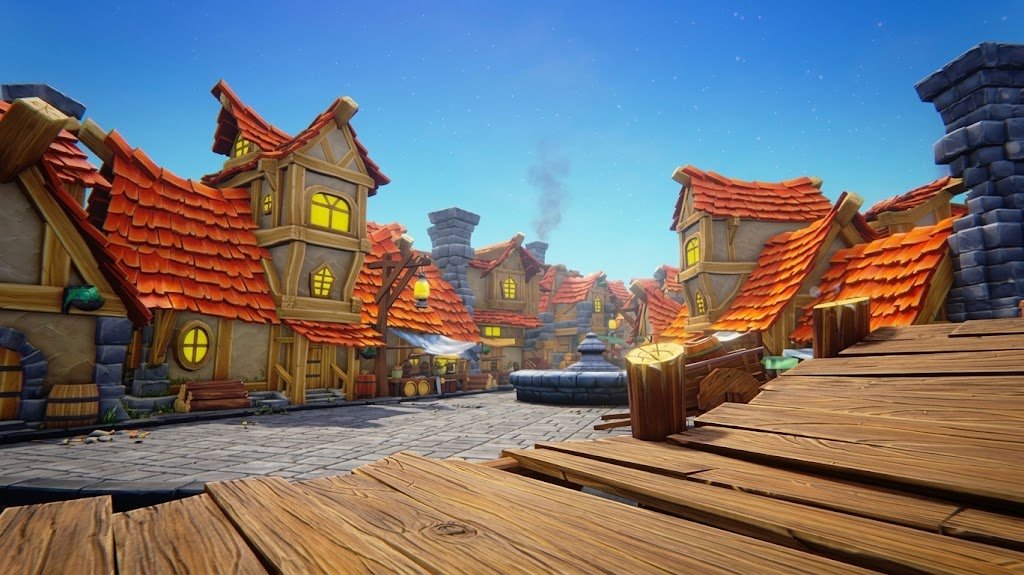
Style changes the workflow and the cost. Stylized work relies on hand-painted textures and strong shape language. Photorealism relies on scans, PBR materials, and heavier detail. Share 5 to 10 reference images so the studio can quote accurately.
Are you looking to outsource a single asset pack or a full-level environment?
An asset pack suits a small, defined scope and fixed price. A full level needs blockout, production, lighting, and integration, so it is better suited to milestones or a retainer. Decide before you request a quote.
How much does it cost to outsource 3D environment art?
Published ranges put scenes at $1,000 to $10,000 or more, and 3D hourly rates at $40 to $150. Your price depends on scope, style, and region. Request an itemized quote.
How should I prepare before contacting a studio?
Prepare a brief with your engine, style references, asset list, technical limits, deliverables, and a budget range.